Introduction
In this blog, I will create a MS Flow and Send the Order related Details to the Customer through the HTML formatted Email from Dynamics 365 CE.
Steps
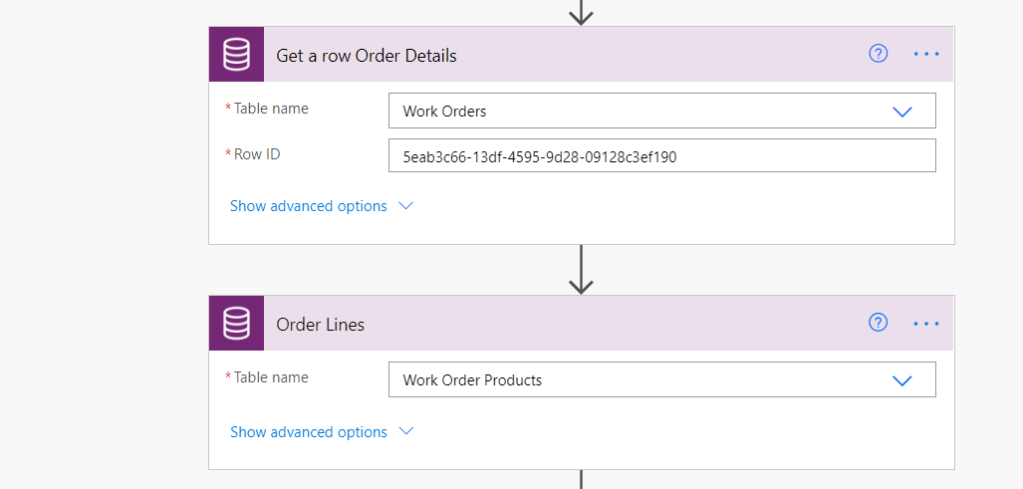
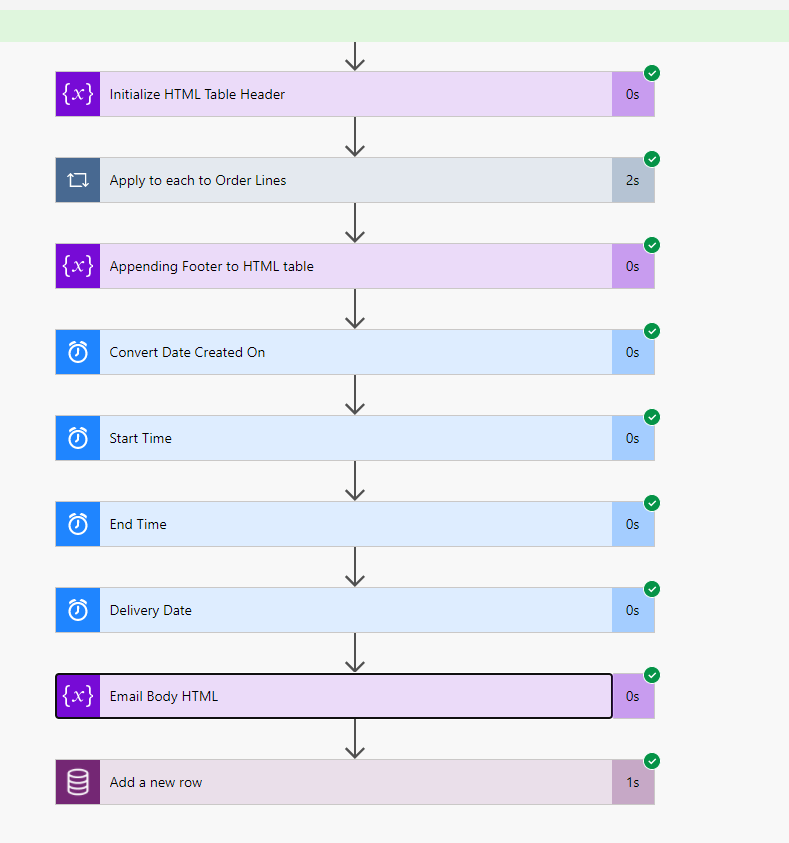
Here I’m retrieving the Order and Order Lines from Dynamics 365 CE.
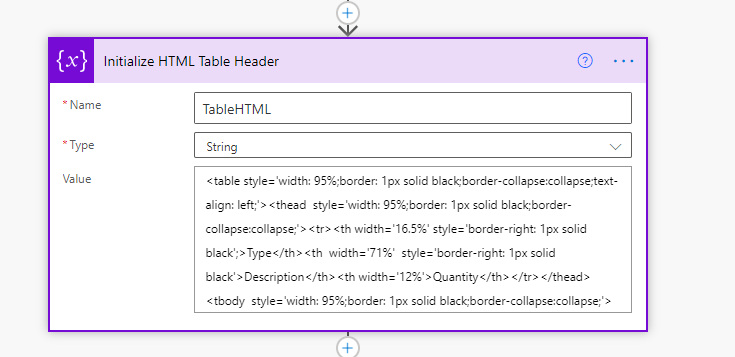
Initializing the string variable to create a HTML table ( with basic Inline CSS) for Order Lines to send in an Email.
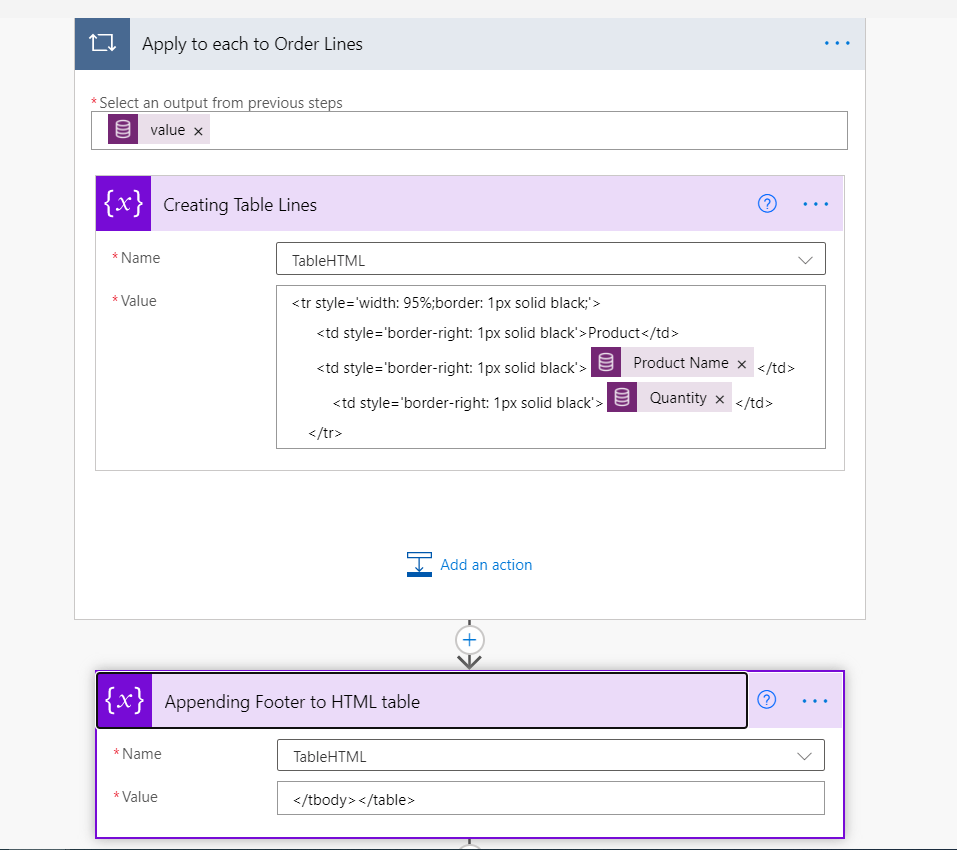
Adding row dynamically in the table and appending table footer in the end.
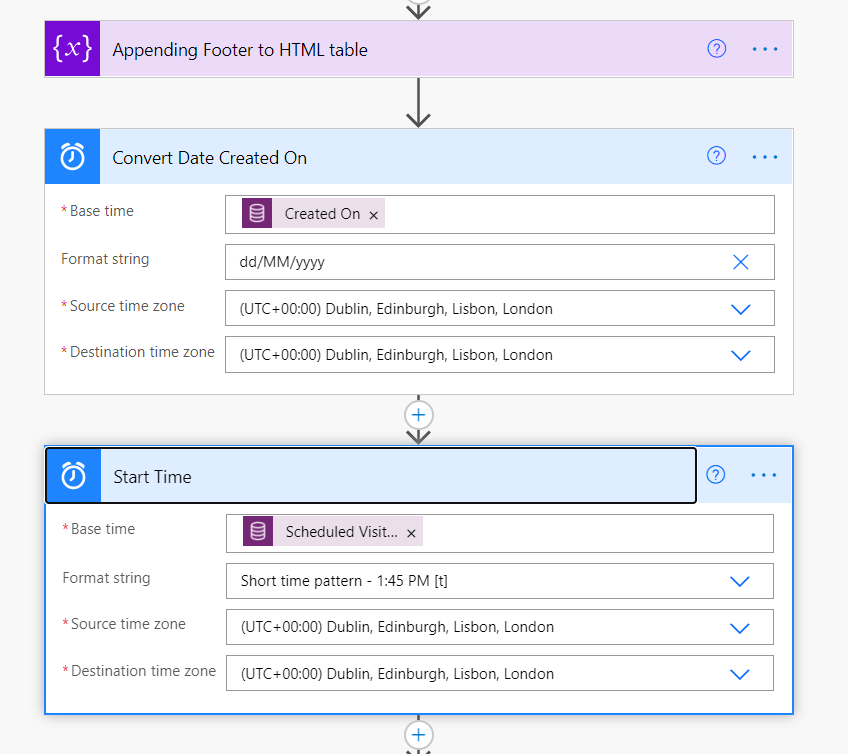
I have used the Convert Time Zone action to change the formatting of the retrieve Date fields from Dynamics 365 CE.
Here is the final HTML Email body which will be sent to the customer.
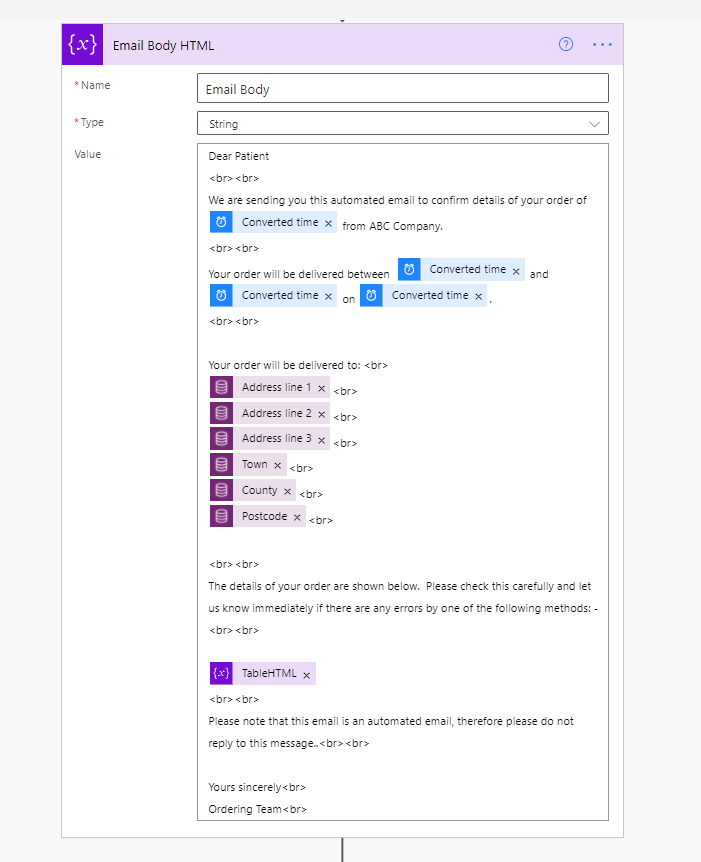
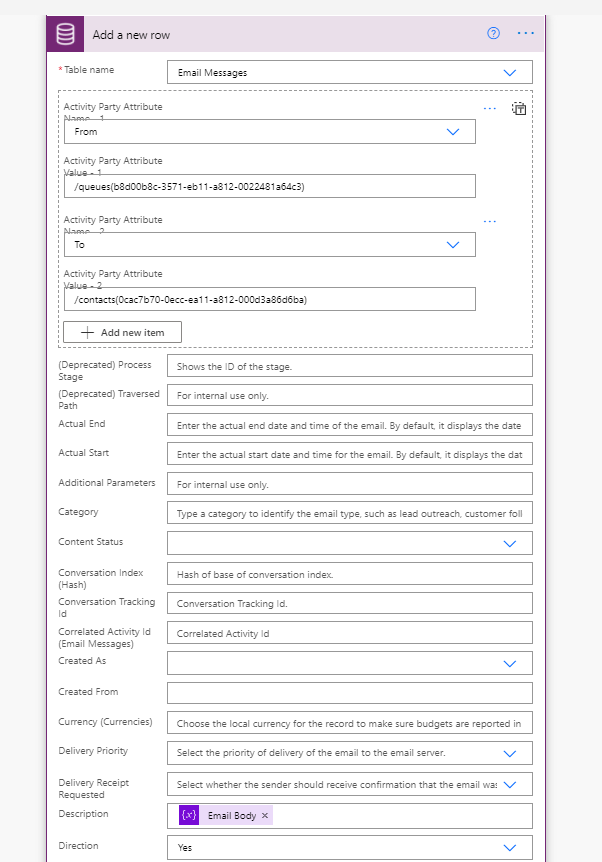
I’m creating an Email Message record and using the Dynamics 365 Email Feature otherwise I could have sent the Email directly from this MS Flow.
Here is the final view of MS Flow and it ran successfully.
HTML Email Message with tabular format Order Lines created in Dynamics 365 CE and Email is sent to the Customer.
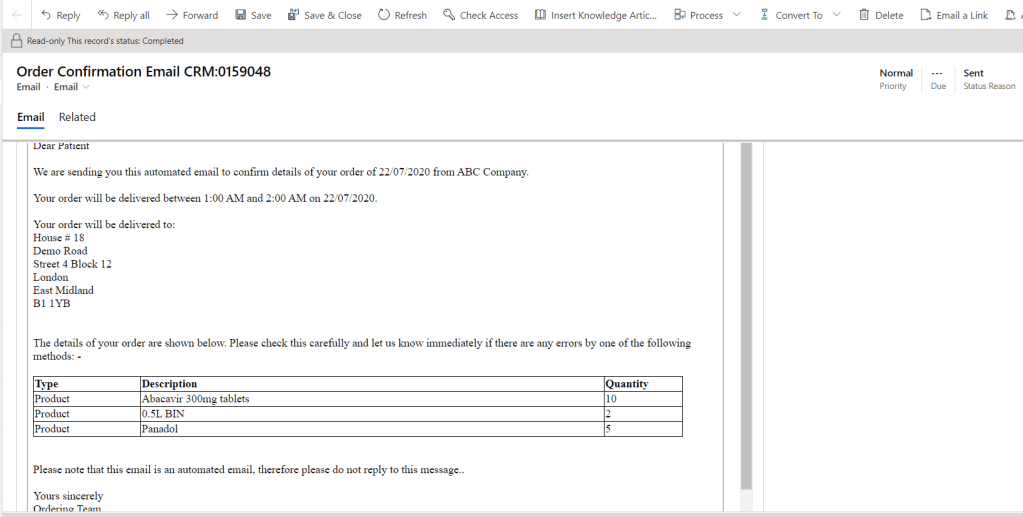
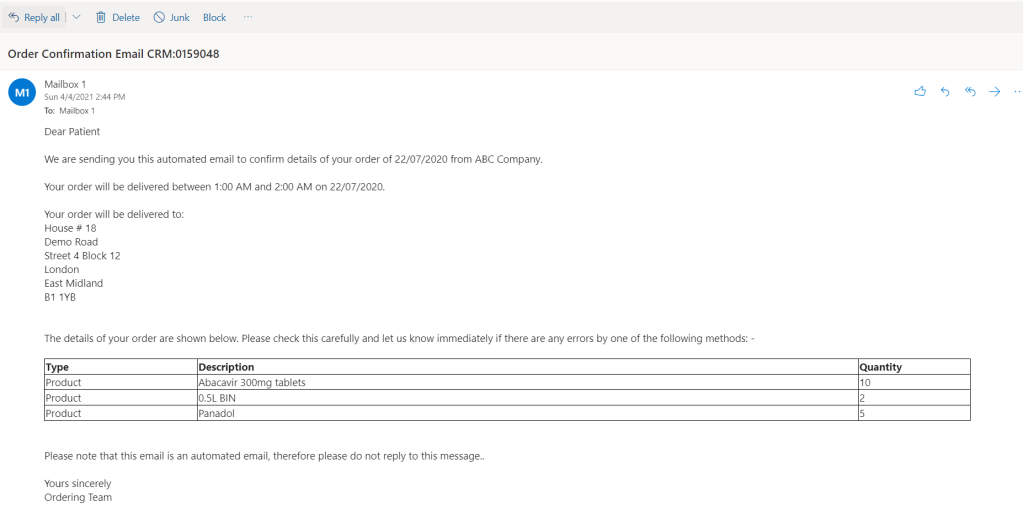
Here is how the Customer received the Email in Outlook.
Note
One more thing we can do is create an Email Template in Dynamics 365 and use that in MS Flow and replace the placeholders with HTML chunks. In that way, the end-users can easily update the Email Template/Format whenever they want directly in Dynamics 365.
 MS Dynamics 365 CE, Power Platform, Azure & Dot Net Technologies